Vanguard
-
Posts
12 -
Joined
-
Last visited
Content Type
Profiles
Forums
Articles
Events
Everything posted by Vanguard
-
GG's to Dadovoski. I got outplayed pretty hard ): So much effort put into I-No and I'm still much better with May. Profound sadness
-

[AC] GGXX: Accent Core on PC - now (actually) playable online
Vanguard replied to Teyah's topic in Guilty Gear Online Play
You need to download the keyboard file first, from here http://www.megaupload.com/?d=NMAKOPU6 Put that in your QKOJamma folder and map buttons with that You're not changing your files in the QKOjamma folder at all, you're just mapping xpadder so that whenever you press the specified button, it emulates that button press as a keyboard press, which gets read by the keyboard configuration. Edit: Here's a picture of the general idea May want to right click -> view image. It fucked the resolution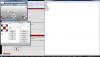
-
[AC] GGXX: Accent Core on PC - now (actually) playable online
Vanguard replied to Teyah's topic in Guilty Gear Online Play
Might as well just post the info, keep in mind this is for an xbox360 controller and I'm using thumb-stick, but I'd assume it's roughly the same across the board for how d-pad inputs are read. If you have that much of an issue with a different type of controller, bring up the stick configuration in xpadder, start #R, and see how low you need to go before you low block, that's where your horizontal size goes, and check your dead-zone for how much input it takes before an input displays on the screen. For those who want to play on a pad that isn't supported: 1. Download Xpadder 5.3 or higher from somewhere, Google is your friend 2. Open xpadder and create a new controller, follow the instructions, and it should show your respective controller with all the buttons on the screen 3. Open your QKOJamma folder and open the keyboard configuration in notepad (download it from the GGXXAC Online website if you don't have it already) 4. Map the buttons from the keyboard config to xpadder by pressing on a button on the xpadder display. It will open up a keyboard and you simply click what key you want it to emulate with what button. If I remember correctly, on the emulator, Button 1 is Kick, 2 is Slash, 3 is H Slash, 4 is Punch, 5 is Dust, and 6 is an unregistered (?) button. The rest are self explanatory 5. Next, setup your appropriate directionals from the config onto the xpadder display's thumb-stick or d-pad, then click the wrench next to it. For me, the #R Dead-zone is 45% and the horizontal size is 32. 6. For macros, you are going to click on the button you want to set it to on the xpadder display, and click on advanced under the keyboard display. Here you will basically enter 3 of the keyboard keys into your cycle and insert a stop. This should press all 3 buttons at the same time, or at a delay if you wish, when you press that button. 7. Finally, make sure that you open up x-padder as administrator or it won't read your inputs from behind the game. Let me know if anyone needs more help (Would probably be better to ask me on the reload IRC) -
[AC] GGXX: Accent Core on PC - now (actually) playable online
Vanguard replied to Teyah's topic in Guilty Gear Online Play
No argument, just trying to say you should never feel limited by your peripheral of choice. I have a stick as well but choose to only use it for certain characters, mostly 3S. If you want to play on pad, use xpadder to map your controls to the keyboard configuration. I can give you the exact deadzone and sensitivity that reload takes inputs at for xpadder as well. Edit: Xpadder lets you map multiple key presses to one button, of course -
[AC] GGXX: Accent Core on PC - now (actually) playable online
Vanguard replied to Teyah's topic in Guilty Gear Online Play
I main I-No and sub Eddie on pad with no macros and with the thumbstick Step your execution game up yo. It takes 30 minutes to switch from the macro to your thumb. I would know, I did it :O -
[AC] GGXX: Accent Core on PC - now (actually) playable online
Vanguard replied to Teyah's topic in Guilty Gear Online Play
I'm always on but my router is ass ): -
[AC] GGXX: Accent Core on PC - now (actually) playable online
Vanguard replied to Teyah's topic in Guilty Gear Online Play
Hard mode that shit :O You don't need no macros -
Thanks, but you deserved the wins, you're still a much better player :o I may be able to do the combos, but my mixup is generally bad and I still fall for things I shouldn't be falling for. GG's to you too though. I hadn't seen you on in awhile.
-
GG's to you as well. Unfortunately, knowing how to play all of the cast at a half-assed level doesn't make me good :P I just jump on people x N and try to do fancy combos that I drop 90% of the time. I appreciate it though.
-
As it turns out, netplay for AC is finally out as of yesterday. It's still a bit choppy, but I was able to run it at 60fps with a friend. I'm loving AC I-No so far. It seems like I'm going to need to get used to using VCL quite often. I wasn't aware they changed the properties on her j.HS the way they did. The changes to her notes are also really nice. It sucks that I was so late to the party, but at least I'll get the chance to practice her now.
-
Hello everyone. I've been playing reload online for awhile now, but just got around to making a dustloop account recently. After playing around with the entire cast for a few months, I decided that I'd try to main I-No about a week or so ago. Things are going pretty well so far. I'm able to get her TKCL airdash about 90% of the time now, and I'm working on getting use to doing the airdash off a JI'd combo. I have pretty good execution but my mixup has always been lacking, so I feel like her fairly difficult combos and naturally good mixup suits my playstyle and capabilities very well. I recently attempted to learn stick as I've always been a pad player, but I recently had to go back to pad because I couldn't handle stick. Pad has always just been a lot more comfortable for me and I-No feels more natural on a pad than a stick for me. I plan to get around to learning it at some point in time though. I've recently been trying to pick up a copy of AC to get a chance to try her. The addition of VCL and the changes to her dive make her seem extremely fun to play. I saw Honnou playing on the stream a couple days ago and I think you played her extremely well. It's nice to see someone outside of Japan playing her as well as you do, and it was nice to see some of her fancy AC combos :o
-
GG's to everyone I've played since I started. Finally got around to creating an account.