Circuitous Posted February 4, 2010 Posted February 4, 2010 Yay, they're all done.Download the Complete Sprite Set or, get the characters you want individuallyPLEASE SELECT YOUR CHARACTER ARAKUNE: http://www.mediafire.com/file/wd0q7t82flssodt/Arakune_CS.7z BANG: http://www.mediafire.com/file/go2gln1nnmy/Bang_CS.7z CARL: http://www.mediafire.com/file/15gy3zgiiym/Carl_CS.7z HAKUMEN: http://www.mediafire.com/file/2hvlmy0twmt/Hakumen_CS.7z JIN: http://www.mediafire.com/file/zdkq4ymm4oz/Jin_CS.7z LAMBDA: http://www.mediafire.com/file/tny52duviyy/Nu-Lambda_CS.7z LITCHI: http://www.mediafire.com/file/xizmemzqnut/Litchi_CS.7z NOEL: http://www.mediafire.com/file/w0mwjmjozdl/Noel_CS.7z RACHEL: http://www.mediafire.com/file/ml3izbtj2nt/Rachel_CS.7z RAGNA: http://www.mediafire.com/file/uzleffujxon/Ragna_CS.7z TAGER: http://www.mediafire.com/file/nbzg2kt4kmy/Tager_CS.7z TAOKAKA: http://www.mediafire.com/file/wdozyogoemn/Taokaka_CS.7z HAZAMA: http://www.mediafire.com/file/yzu4tmtmwmz/Hazama_CS.7z TSUBAKI: http://www.mediafire.com/file/rdhjmzwkxmg/Tsubaki_CS.7z ALL: http://www.mediafire.com/file/je0jmmb2trz/Complete_Sprites.7z Bonus Downloads: Get EVERYTHING. Already got the sprites? Get everything else in one convenient package. Of course they're still available individually: Full Character Portraits Bust Portraits Arcade Profile Portraits Arcade Profile Background Art and Text Dialog Portraits (includes Gii, Nago, Ada, Kokonoe, Masked Tsubaki, etc.) Character, Stage, and BGM Select (images and text) Title Screens Arcade/VS Mode Screens and Artwork Character Emblems Match HUD and Stage Intro Text Match Start/Finish Text Ranking Mode (images and fonts) Character Names (multiple fonts: char select, VS mode, win/lose, etc.) Bonus Downloads Not Included in the Complete Set: Complete BB:CS Story Mode Character Art (in PSD format, usable in Photoshop or GIMP). Platinum the Trinity Valkenhayn R. Hellsing Makoto Nanaya Mu-12 Hype Dog Continuum Shift Story Mode Backgrounds! Character Artwork, including DLC characters, in a variety of formats. Help Me! Dr. Kokonoe - chibi sprites for all characters, emotes, and backgrounds. Training and Story Mode Options (Continuum Shift)) Distortion Drive effects Teach Me, Miss Litchi! Sprites, Effects, and Backgrounds Calamity Trigger Story Mode Character Artwork! - Please read the notes below! Calamity Trigger Story Mode Event Artwork! Nu-13 color palettes for Lambda-11 sprites. Credits: Freezeman (MugenGuild) - for getting the ball rolling and writing the QuickBMS script used to extract the sprites. Tunglashor (MugenGuild) - for Hipster, a .hip->.tga converter, and for bein' generally awesome. Kurushii - for bein' supremely awesome, helping with frame references and all that jazz. 2DMirage - for bein' cool, posting up some early rips of his own, and (perhaps unintentionally) inspiring me to get this shit done. You guys - for wantin' these.General notes: I can't call this COMPLETE - a few sprites didn't convert properly, or were completely useless, or crashed any program I tried to open them with, usually all three. However, these packs do contain all of the character sprites and all of the SFX in some form or another. You're not really missing anything. Anyway, use this thread for delighted squeals or posting up animations or sprite edits or whatever 'cuz it ought to have a continued purpose and the original thread has become something of a clusterfuck. Also, if you notice any issues with the sprites or with the links here, let me know and I'll get 'em fixed ASAP.Use 7-zip to open the .7z files. Furthermore, respect the copyright!Some notes on sprite usage: Most of the SFX sprites (in /Effects/) are meant to be semi-transparent. In Photoshop you can get this effect by changing its layer mode to Screen. If a sprite has a black border around it, you can bet it's meant to be screened. If anyone knows an easy way to do this in other programs, let me know.Palette Swaps: Photoshop, GIMP and Paintshop Pro should have no issue doing palette swaps. Just load up the image's palette/color table and use one of the other .ACT files in its place. The /Palettes/ folder only contains character palettes, and for the most part will not work with SFX sprites. The electrocution sprites (xx082_xx.png) use their own special palette, don't edit it by mistake.Photoshop I don't know much about photoshop, but can you change the default colour of the sprites with the palettes archives?. How can I change Litchi's default colour for the ink style colour?. Photoshop should be: Image -> Mode -> Color Table ==> Load -> /Palettes/ -> Litchi_12.act In the same Color Table window, click the eyedropper at the bottom-right of the window, and then click the Green at the bottom-right of the colors to make it Transparent. GIMP I found out how to do it with GIMP. You gotta import the palette file. Open the Palettes dialog Windows > Dockable Dialogs > Palettes Then on the palettes dialog open the context menu and select "Import Palette". Check "Palette file" as source then select your palette file, then just click import. Now if you haven't already, open the sprite image file you want. Then Colors > Map > Set Colormap Then just choose the palette that you just imported. Notes on Story Mode Artwork: The Story Mode character art is in Mr. Potato Head mode. The faces are mostly blank, with eyes/mouths/effects as separate files in the same folder. You'll have to assemble them yourself, using your favorite transparency-enabled image editor. The following characters are included: Arakune, Bang, Carl, Gii, Hakumen, Hazama/Terumi, the Ikaruga Ninjas, Jin, Jubei, Kaka Elder, Kaka Kittens, Kokonoe, Linhua, Litchi, Makoto, Nirvana, Noel, Nu, Rachel, Ragna, Tager, Taokaka, Tsubaki (school uniform only), and Valkenhayn.Notes on DLC Palettes and GG Crossovers: Here's a list of every BlazBlue character's Guilty Gear palette. These palettes are available in Color Pack #2 on your respective console's online marketplace, with the exception of Jin (Robo-Ky is #2, Ky is #1). Arakune as Eddiehttp://i37.tinypic.com/ru7246.png Bang Shishigami as Anji Mitohttp://i34.tinypic.com/29z4kkl.png Carl Clover as A.B.A.http://i38.tinypic.com/rs7llt.png Hakumen as Baikenhttp://i38.tinypic.com/2q158ya.png Hazama as Venomhttp://i37.tinypic.com/16a88xx.png Iron Tager as Potemkinhttp://i36.tinypic.com/soxp39.png Jin Kisaragi as Ky and Robo-Kyhttp://i36.tinypic.com/33etq15.png Lambda-11 as Justicehttp://i37.tinypic.com/2q81ytd.png Litchi Faye-Ling as Jam Kuradoberihttp://i35.tinypic.com/28bqxk3.png Makoto as Order-Solhttp://i35.tinypic.com/n5r52b.png Mu-12 as Dizzyhttp://i33.tinypic.com/51f48h.png Noel Vermillion as I-Nohttp://i35.tinypic.com/n6q2yo.png Rachel Alucard as Slayerhttp://i34.tinypic.com/34y1bfp.png Ragna the Bloodedge as Sol Badguyhttp://i34.tinypic.com/2qs52tf.png Taokaka as Mayhttp://i33.tinypic.com/5b32x.png Tsubaki Yayoi as Millia Ragehttp://i36.tinypic.com/1tuc1w.pngEnd of Notes If you have any questions this is the place to ask.
killionaire Posted February 4, 2010 Posted February 4, 2010 YAAAYYY.. It's finally done! Awesome job to all that contributed!
Shadow Draygon Posted February 4, 2010 Posted February 4, 2010 Complete Set link is set to Bang. (the top link that is)
Circuitous Posted February 4, 2010 Author Posted February 4, 2010 Nuh-uh. Noticed an error in Rachel's effects sprites (she was the first one I did aaagh). I'll be fixing that shortly. Edit: Done!
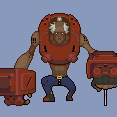
Circuitous Posted February 4, 2010 Author Posted February 4, 2010 Scrawl some Japanese onto Nu and you got it. So here's some "Fun With Sprites" action: Aradouken!
Vulcan422 Posted February 4, 2010 Posted February 4, 2010 That should be one of her EX moves if they are ever added.
kosmos badgirl Posted February 4, 2010 Posted February 4, 2010 The Psyduck link don't work, the rest works fine. Thanks for the sprites, highly appreciated .
Circuitous Posted February 4, 2010 Author Posted February 4, 2010 Psyduck and the Complete Set links are back, I took them down while I re-uploaded the Complete Set with fixed Rachel SFX. Have at 'em.
kosmos badgirl Posted February 4, 2010 Posted February 4, 2010 I don't know much about photoshop, but can you change the default colour of the sprites with the palettes archives?. How can I change Litchi's default colour for the ink style colour?.
Circuitous Posted February 4, 2010 Author Posted February 4, 2010 Photoshop should be: Image -> Mode -> Color Table ==> Load -> /Palettes/ -> Litchi_12.act Added to first post.
kosmos badgirl Posted February 4, 2010 Posted February 4, 2010 Thanks, works great, but everytime I change the palette, the background colour changes from transparent to green, how can I change the background to transparent again?.
Tong Posted February 4, 2010 Posted February 4, 2010 Hey man, what am I supposed to do with the .bin files?I know they have something to do with animations but how to use it? Thanks for the sprites
Tong Posted February 4, 2010 Posted February 4, 2010 Thanks, works great, but everytime I change the palette, the background colour changes from transparent to green, how can I change the background to transparent again?. Juse use magic eraser tool. The green will be gone in an instant.
Circuitous Posted February 4, 2010 Author Posted February 4, 2010 Thanks, works great, but everytime I change the palette, the background colour changes from transparent to green, how can I change the background to transparent again?. Oh right. See the eyedropper in the Color Table window? Click it, then click the Green to make it the Transparent Index.
okeranpa Posted February 4, 2010 Posted February 4, 2010 this will go own in history, i swear... YESSSS!!!
SoWL Posted February 4, 2010 Posted February 4, 2010 Scrawl some Japanese onto Nu and you got it. So here's some "Fun With Sprites" action: Aradouken! This reminds me of a .gif someone made on our local forum: Shin Neko Nyadouken!
kosmos badgirl Posted February 4, 2010 Posted February 4, 2010 Oh right. See the eyedropper in the Color Table window? Click it, then click the Green to make it the Transparent Index. Great, thanks.
Recommended Posts
Create an account or sign in to comment
You need to be a member in order to leave a comment
Create an account
Sign up for a new account in our community. It's easy!
Register a new accountSign in
Already have an account? Sign in here.
Sign In Now